

Maximize Your Practice: Local Services Ads for Dentists Explained
If you’re a dentist or you run marketing for a dental practice and you’ve been thinking, “Do Local Services Ads (LSAs) work for dentists?”
Short answer: Yes, they can.
LSAs put your clinic above paid search and organic results, they run on a pay per lead model (not pay per click), and they require verification so the leads tend to be qualified leads of higher quality.
But the setup for dental marketing ? It’s fiddly. There’s paperwork, background checks, insurance stuff, and a little bit of patience.
I’ll walk you through everything.
Quick snapshot: Why dentists should even care

LSAs show at the very top of Google when people search for local dental services think “dentist near me,” “emergency dentist,” etc. That visibility is gold.
You pay per lead (phone call, message, booked appointment through the LSA) rather than per click so you’re paying for intent to attract potential customers , not a random click.
Google verifies businesses (licenses, background checks, insurance). Recently Google consolidated its trust badges into a new Google Verified badge so the trust signals changed Oct 20, 2025 (keep an eye on your account status).
Side note: Google’s rules and UX change frequently. The broad setup is stable but badge names and small flows have shifted in 2024–2025. So follow prompts in your LSA dashboard and the Google help pages while you set up.
Before you start what you must have ready
Don’t start the signup unless you’ve got these things lined up. Trust me, it saves time.
Google Business Profile claimed and verified (name, address, hours, website). If GBP isn’t verified and matching your LSA info, your ad can be suspended.
Business license(s) current and appropriate for your state/region. You’ll upload scans.
Dental licenses for each licensed clinician you want listed in the LSA account (if required in your region).
Insurance proof general liability and malpractice/professional liability certificates. Google often asks for minimum coverage details; get PDFs from your insurer.
Background check consent for owners and possibly staff, Google uses third party partners to run these. Be ready for fingerprints or an online form depending on your country.
Phone number that you’ll use to receive leads (call tracking may be part of the flow).
Website with clear booking/contact pathways makes conversions smoother.
If you’re missing any of that, assemble it first. Don’t wing it.
Step-by-Step Setup Local Services Ads for Dentists

Step 1: Create & verify (Google Business Profile + LSA account)
Okay let’s get you into Google’s Local Services platform, which can help improve your organic search results .
Claim or verify your Google Business Profile if you haven’t already. If your GBP name/address doesn’t match your legal business name and what you enter into LSA, ads can be paused. So make ’em match.
Go to the Local Services Ads signup page and start a new account. Google will ask for business details: address, phone, services (choose categories like “dentist,” “teeth whitening,” “emergency dentist,” etc.).
Select service areas (zip codes, cities). Don’t be weird only target areas you actually serve. Otherwise you’ll waste leads and budget.
Upload your licenses and insurance docs when prompted. This triggers the verification & screening process. Do it right away so you can go live sooner.
Pro tip: do the setup on desktop, have PDFs ready, and prepare for review requests.
The mobile flow is fine but uploading a half photo of a certificate is not.
Also, name fields are picky use your legal practice name. (I said that twice because people ignore that and then freak out when ads get paused. I’m yelling gently.)
Step 2: Background checks & verification (what to expect)
This can feel invasive, but it’s standard.
How long does verification take?
It varies could be a few days to several weeks depending on your region and the speed of background checks. Don’t panic; plan your launch accordingly.
Side note: if you’ve had disciplinary actions on a license, that can complicate approval. Be upfront and expect follow ups.
Step 3: Choose service types & categories (this matters)
You’ll pick service categories that tell Google which searches to show your ad for, and you should also be ready to respond promptly . Be precise but not weird.

Side note: if you do a niche like “oral surgery,” list it only if you truly do it in-house. Patients hate being misled; Google hates it too.
Step 4: Set your budget (or rather, set leads & max spend)
LSAs aren’t typical CPC campaigns. Here’s how to think about budget:
Side note: If you have limited staff to handle calls from local customers, cap leads to maintain your practice's visibility.
Leads are only useful if your front desk can actually book them. That’s a real problem I’ve seen too many leads, no follow up, poor conversion. Don’t be that clinic.
Step 5: Phone handling & lead responsiveness
This is where practices win or lose.
Side note: train whoever answers the phone script the friendly confirmation, ask how they found you, get the booking. Don’t sound robotic, but have a path.
Step 6: Optimize your profile & listing (the conversion tweaks)
You’ll compete with other local providers for that prime spot. Small details matter.

Pro tip: schedule a monthly profile polish: add 1–2 new photos, update posts, check hours, and reply to any reviews.
Step 7: Tracking & measuring success
If you’re not tracking your target audience , do not pass go. Track.
Also track impact on organic/paid channels, sometimes LSAs cannibalize other campaigns if you’re not careful.
Step 8: Advanced optimization (real-world tweaks)
When you’re past the basics, try these.
Experiment, but do one change at a time so you can see what actually moved metrics.
Extra: LSA vs regular Google Ads (PPC): short, because you’ll ask
You can (and often should) run both, LSA for immediate local calls and Google Ads for targeted campaigns (implants, cosmetic treatments) where you control the landing page.
The badge situation (yes, Google changed the badges)
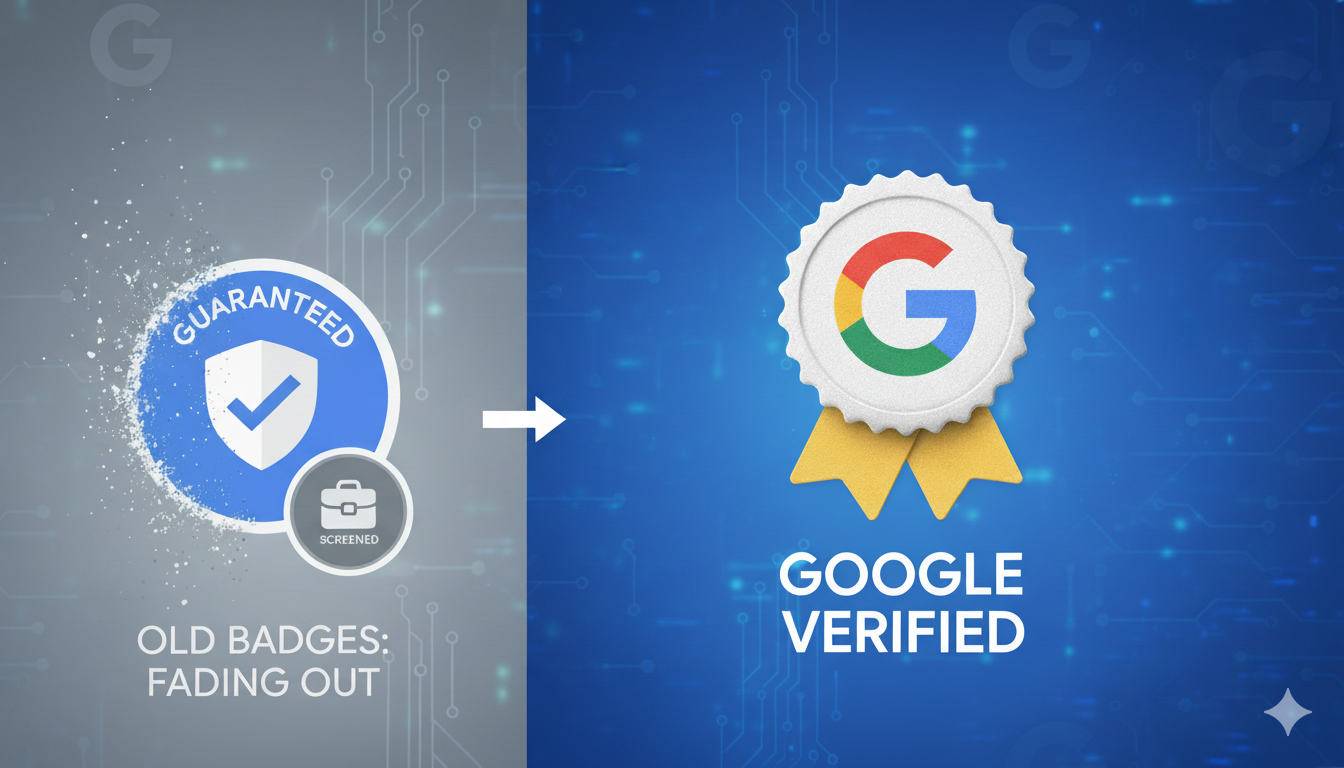
Heads up: Google consolidated badges and retired Google Guaranteed / Google Screened / License Verified and launched a Google Verified badge on Oct 20, 2025.
The verification steps remain licenses, insurance checks, background screens but the labels and the Money Back Guarantee program for Google Guaranteed were changed/retired.
So don’t freak if your dashboard shows a new badge. It’s still about credibility.
Copy paste checklist: do this BEFORE going live
Common problems & how to fix them (real problems I’ve seen)

FAQs (because you’ll ask these, I promise)
Q: Are LSAs worth the money for dentists?
A: Generally yes especially for high intent searches like “emergency dentist near me” or “root canal today.” But it depends on your local competition and how well you handle leads to attract more customers . Track your cost per booked patient and LTV. If converted patients are worth the CPL, keep going.
Q: Do I need Google Guaranteed or Google Screened?
A: Those badges were consolidated into Google Verified on Oct 20, 2025. You still need to pass verification (licenses, insurance, background checks); the badge name just changed.
Q: How much do LSAs cost for dental clinics?
A: Varies. In many markets, expect $40–$150+ per lead depending on service type and competition. Emergency and specialty leads cost more. Use initial months to gauge your local CPL.
Q: Can I run LSAs and traditional Google Ads together?
A: Yes many clinics do. LSAs capture immediate local intent, PPC lets you target specific procedures and control messaging/landing pages. Monitor overlap and budget accordingly.
Q: What if I get fraudulent or spam leads?
A: Document them in the LSA dashboard and contest invalid leads through Google’s process. Tighten targeting and add qualifiers to your service descriptions to reduce junk.
Little side notes (random but useful)
Final thoughts (not in conclusion, because ugh)
So yeah LSAs are powerful for dental practices when done right, especially in managing your ad spend. They put you where patients look first and they give you higher intent leads than many other channels.
But they’re not magic in a comprehensive digital marketing strategy. Verification takes time, lead handling matters, and you need to keep everything tidy GBP, licenses, photos, reviews.
Treat LSAs like a team member: feed it documentation, train your reception to take calls, and measure outcomes.
Do that, and your new patient flow can genuinely improve.
Want me to audit your LSA setup? (CTA because I’ll help)
If you want, I’ll do a quick audit: drop your Google Business Profile name (or a link), tell me the city/zip you’re targeting, and I’ll scan common issues like GBP mismatch risks, suggested service categories, and a rough weekly lead/budget plan.
I’ll give you a one page checklist you can hand to your receptionist. No fluff. Just practical stuff. (If you want, tell me whether to start from scratch or use your existing LSA notes. I’ll do the rest.)